
Settings · 39
All Windows settings
Windows
Open Settings from the main screen and review each tab.
Step by step
- Select the Settings button on the main screen.
- Change values on the tab you need and select Apply.
- Leave items you are unsure about at their defaults.
| Item | Meaning |
|---|---|
| General | Codec, encoder, decoder, start with Windows, remember window position, listening port, viewer window size, encode at focus window size |
| Security | Request handling, fixed password, default permissions for password access |
| Trusted devices | Always ask for approval for trusted devices, registered devices, delete all |
| Output | Best quality / automatic / fastest response, include remote cursor in video, send system keys |
| About | Version, license, device number, run mode, Install on this PC, privacy policy |
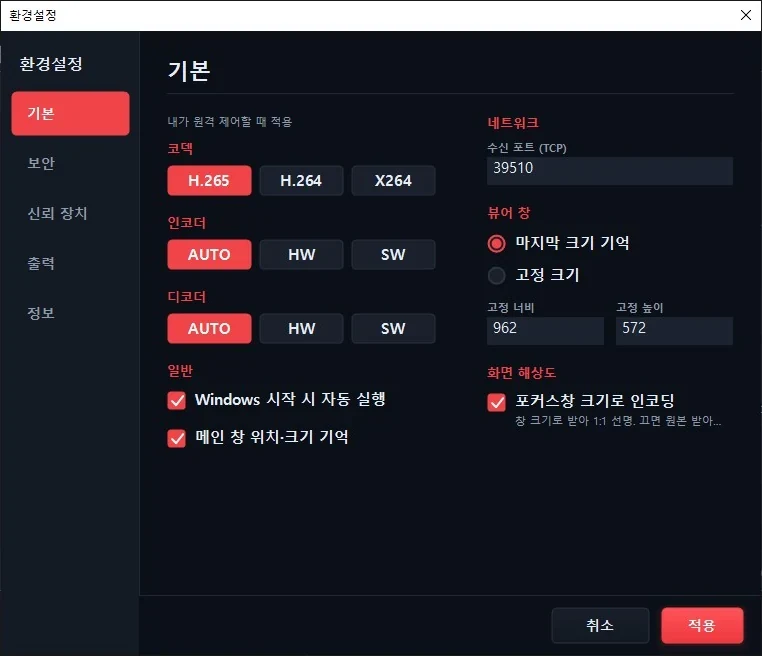
- 1 Tabs: General, Security, Trusted devices, Output, About
- 2 Codec requested when you control another device (H.265, H.264, X264)
- 3 Encoder and decoder: AUTO, HW, SW
- 4 Start with Windows / remember main window position and size
- 5 Network: listening port (TCP)
- 6 Viewer window: remember last size / fixed size
- 7 Resolution: encode at focus window size
- 8 Apply
Numbers are explanatory overlays and do not appear in the application.
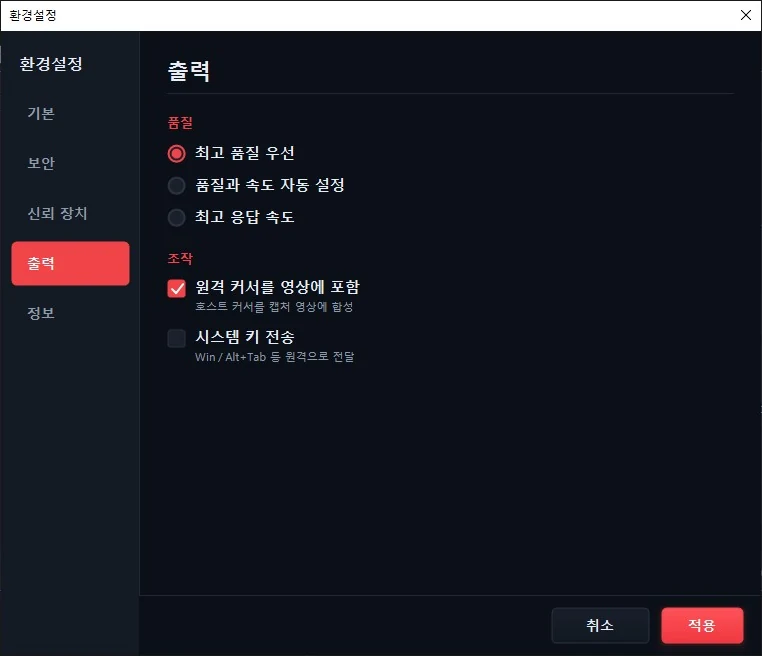
- 1 Quality: best quality / automatic / fastest response
- 2 Include the remote cursor in the video
- 3 Send system keys (Win, Alt+Tab and so on)
Numbers are explanatory overlays and do not appear in the application.
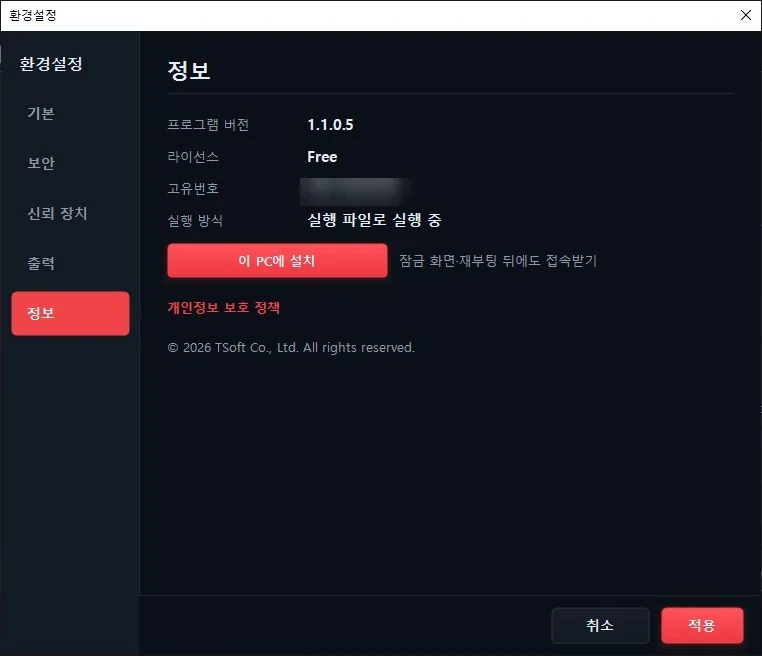
- 1 Program version
- 2 License: Free
- 3 Device number (your access number)
- 4 Run mode: executable (portable) or installed
- 5 Install on this PC: accept connections at the lock screen and after a restart
- 6 Privacy policy
Numbers are explanatory overlays and do not appear in the application.