
Android · 37
Android settings
Android
Manage pointer mode, access password, screen-sharing permissions, auto start and connection settings.
Step by step
- Check the pointer mode and access password.
- Check whether screen sharing, Accessibility, notifications, battery and auto start are allowed.
- Check the connection route, saved passwords, quality profile and device management.
| Item | Meaning |
|---|---|
| Control and authentication | Click / Trackpad, access password |
| Sharing and background | Screen capture, Accessibility, auto start, battery |
| Viewer settings | Connection route, saved passwords, 30/60 FPS profiles |
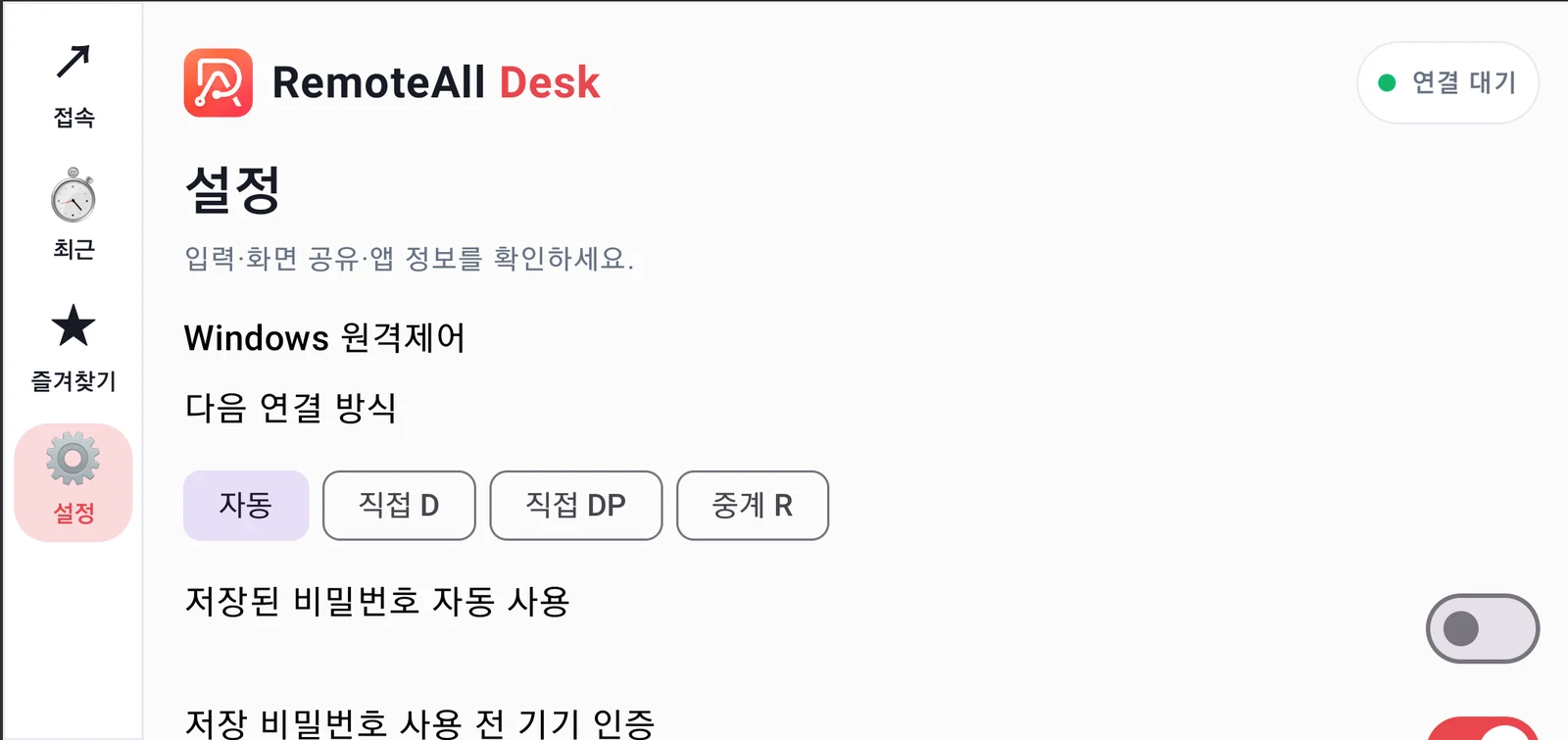
- 1 Settings tab
- 2 Next connection route: Auto, Direct D, Direct DP, Relay R
- 3 Use saved passwords automatically
- 4 Connection status
Numbers are explanatory overlays and do not appear in the application.