
Mac · 27
Share your Mac screen
Mac host
Give your Mac’s access number to the other person; when you approve their request, they can view and control your Mac.
Step by step
- Launch ReAll Desk and check your access number and temporary password.
- Tell the other person your access number and approve their connection request.
- Disconnect when the work is finished.
| Item | Meaning |
|---|---|
| Your access number | The number others use to find your Mac |
| Approval | Review and accept the request |
| Required permissions | Screen Recording and Accessibility |
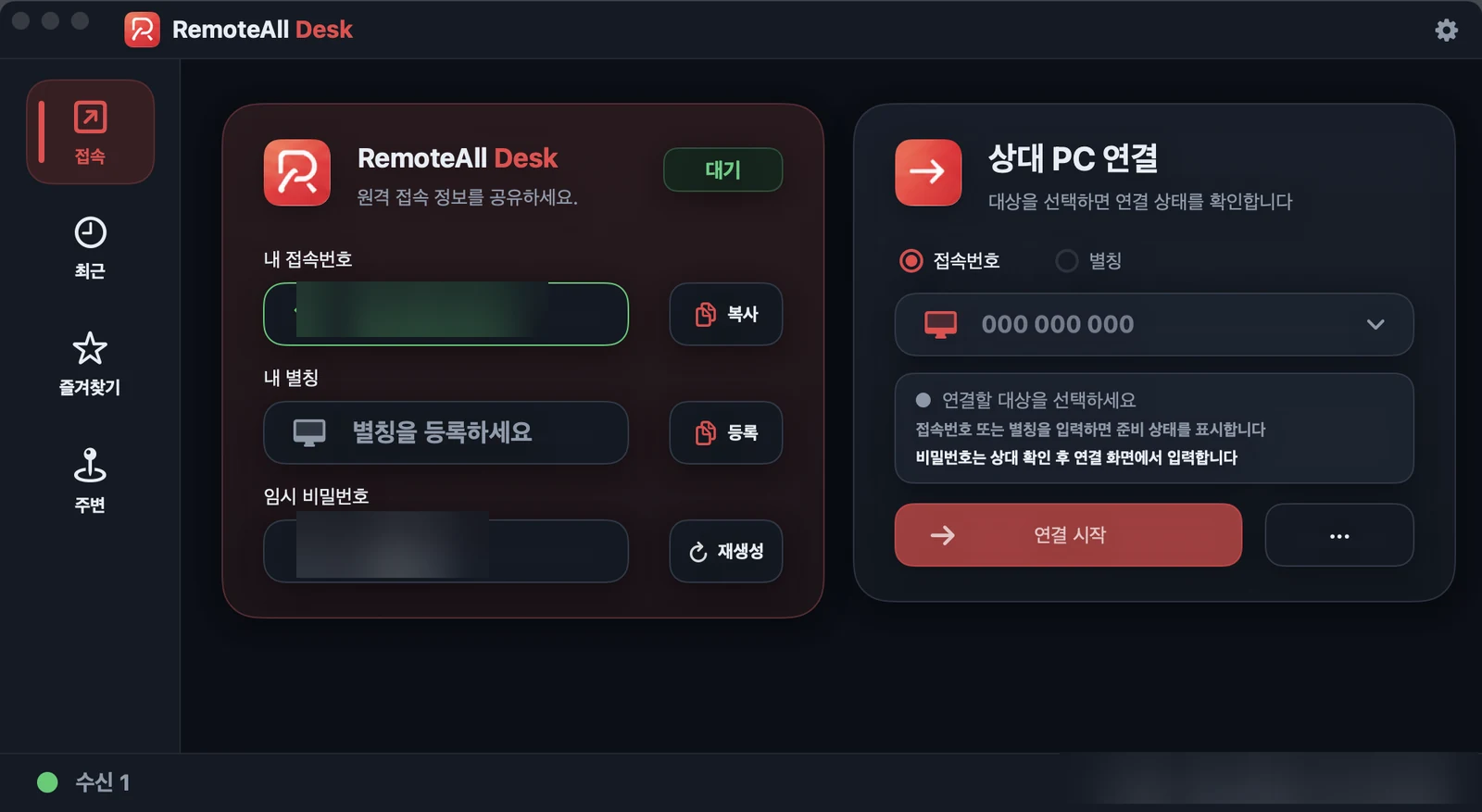
- 1 Side menu: Connect, Recent, Favorites, Nearby
- 2 Standby status
- 3 Your access number and Copy
- 4 Register your alias
- 5 Temporary password and Regenerate
- 6 Connect to another PC: enter number or alias
- 7 Start connection
- 8 Connection status (incoming connections)
Numbers are explanatory overlays and do not appear in the application.