
Settings · 40
Security settings
Windows host
Choose how connection requests are handled and the default permissions for password access.
Step by step
- Choose how to handle connection requests on the Security tab.
- Set a fixed password only when needed, and make it hard to guess.
- Choose what to allow for password connections: keyboard and mouse, sound, clipboard, restart, files, drawing and camera.
| Item | Meaning |
|---|---|
| Request handling | Always allow / Ask for approval / Always deny |
| Fixed password | Whether to use one, and the new password |
| Default permissions | What password connections may do |
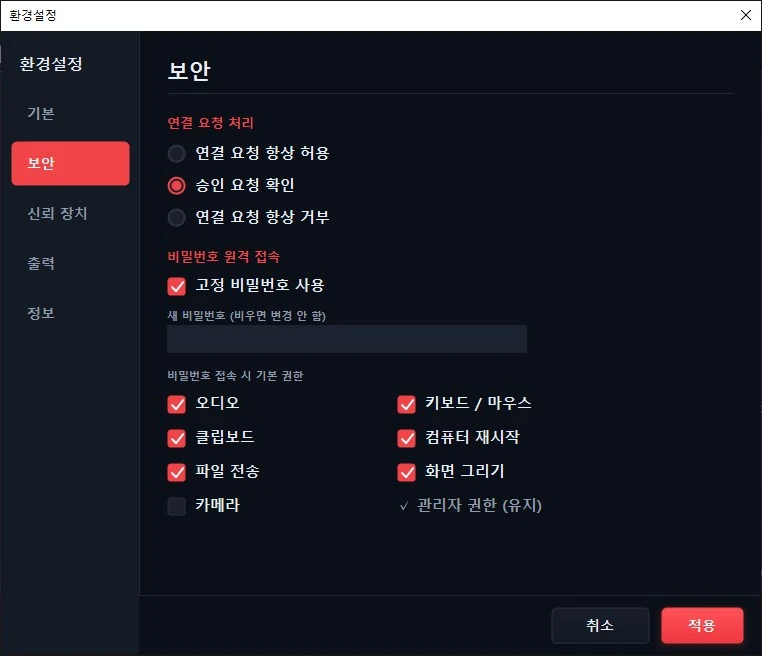
- 1 Request handling: always allow / ask for approval / always deny
- 2 Use a fixed password
- 3 New password (leave empty to keep the current one)
- 4 Default permissions for password connections
- 5 Administrator permission (always kept)
- 6 Apply
Numbers are explanatory overlays and do not appear in the application.